Validate actor registration requests
Actor registration requests are displayed in the Tasks menu for validation.
To validate an actor registration request
CA users with LAA, LUA or Validator profile can assess the actor registration requests
In the Tasks section of your dashboard, click Validate actor registration requests:

Note
The bell icon indicates that there are registration requests for your competent authority to validate, and how many.
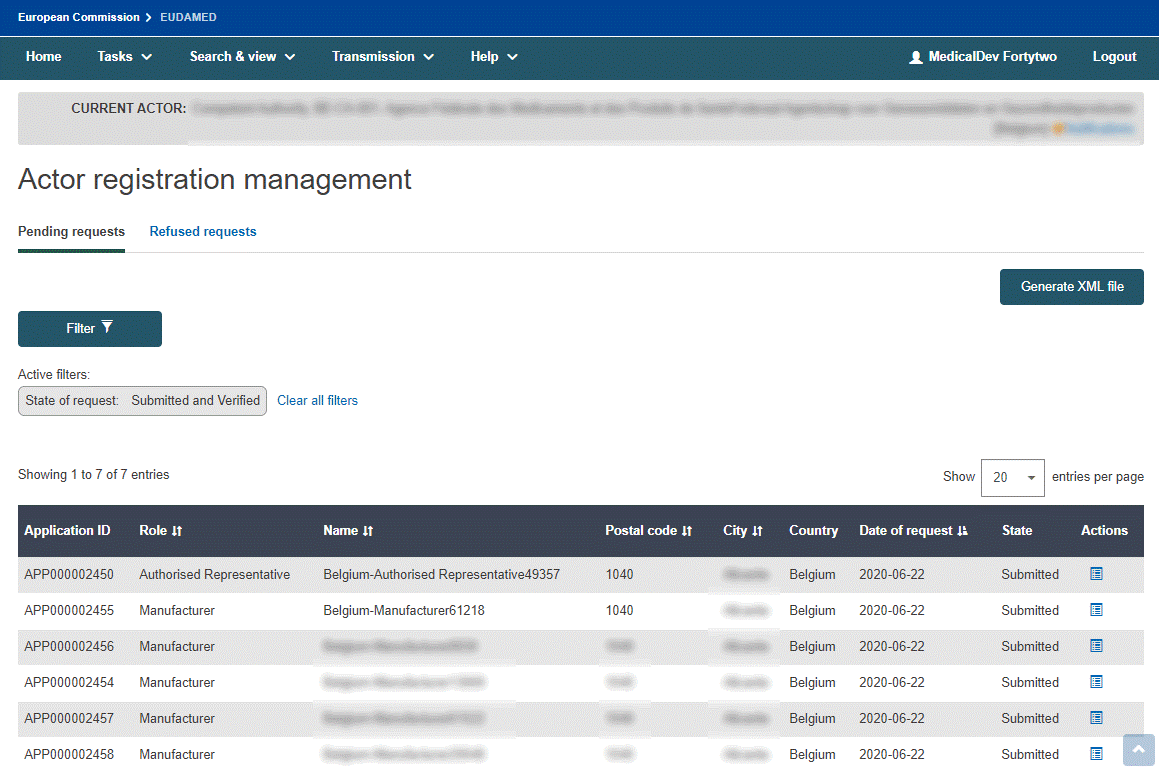
An overview of all actor registration requests pending validation is displayed:
Note
Submitted vs. verified
Registration requests in your pending requests list may have submitted or verified states.
Verified requests pertain only to non-EU manufacturers (they are first verified by the Authorised Representative specified in the actor registration request before they become available for validation by the competent authority).
Submitted requests are from all other economic operators.
From the Actions column in your pending requests list, click next to the actor you wish to validate.
An overview of the information entered by the actor is displayed:
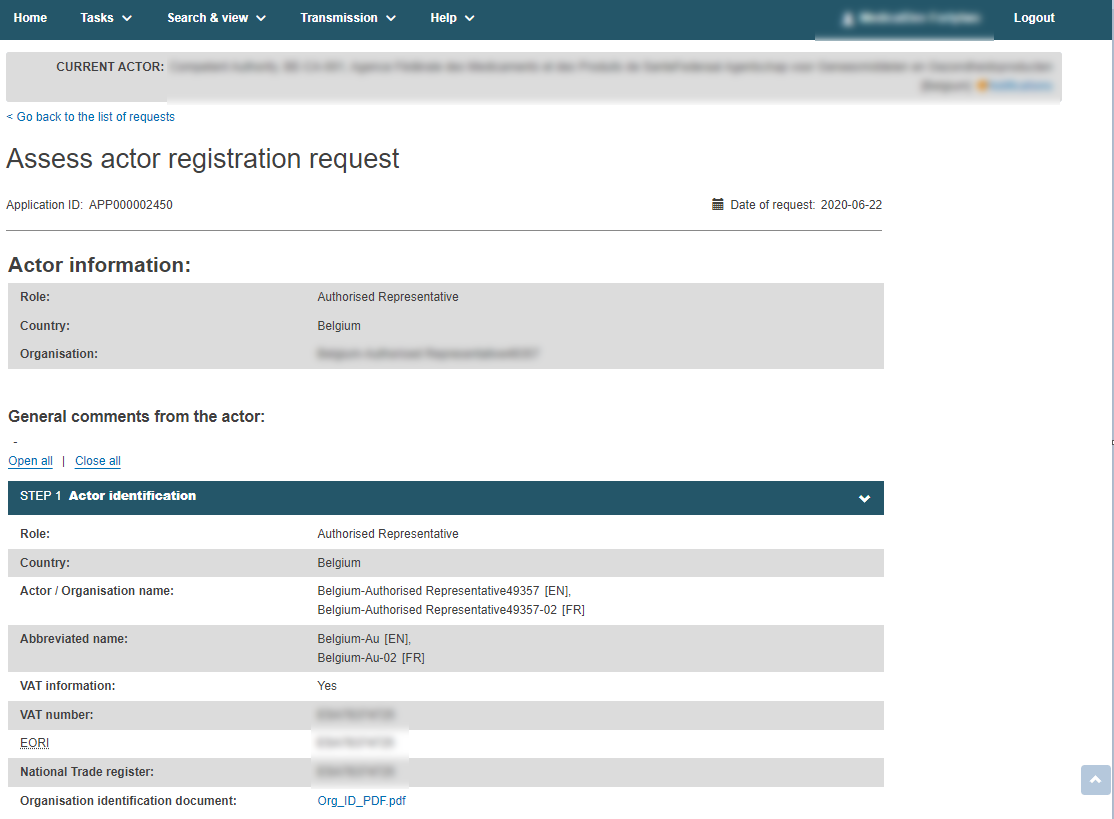
Check the information entered by the actor to ensure that the required fields are completed accurately. The VAT, EORI and National Trade Register Number are mandatory, if available.
Then, scroll down to the Assessment section. Switch the toggle to either Approved or Not approved.
Important
Once you have reviewed all the data, you will be asked for the confirmation. Until then, you can leave the validation process by closing the window or by clicking “Go back to the list of requests”.
Once you provide the confirmation of your approval, the actor is granted access to EUDAMED and you cannot undo the validation. In case the validation was approved by mistake, or if new information at a later stage indicates that the validation should not have been approved, you need to contact EUDAMED Support. Once approved, you will be able to find the actor information via "Search and View".
Note
The user can request a change to their VAT/EORI/NTR details. The process for approving or not approving the user's request is the same as the process of a Competent Authority change request.
If you choose not to approve the request, justify your decision with one of the following reasons:

Note
Incomplete or incorrect, Wrong Competent Authority and/or Authorised Representative and Duplicate: will remove the request from the pending requests list and return it to the requester with a state of Correction requested. The user who submitted the request will be informed by email notification. The Actor user who submitted the request should then follow the instructions/comments that you entered in the justification box, update and re‑submit the request.
Request not applicable: will move the request from the pending requests to the refused requests tab with Refused state. The user who submitted the request will be informed by email notification. The user who submitted the request can view your justification, but the request cannot be re-submitted.
Fraud suspected: will move the request from the pending requests to the refused requests tab with Fraud suspected as the reason for refusal. The user who submitted the request will be informed by email notification. The user who made the request cannot view the justification that you provided and the request cannot be re-submitted.
In case of Fraud suspected, please contact the EUDAMED application support team at sante-eudamed-support@ec.europa.eu
Enter any assessment comments in the Justification text box (in any language that is appropriate for the intended recipient) and then click :

Note
You will not be able to find the request or your justification until the request has been returned to you by the person that sent the request.
Confirm your decision in the pop-up window:
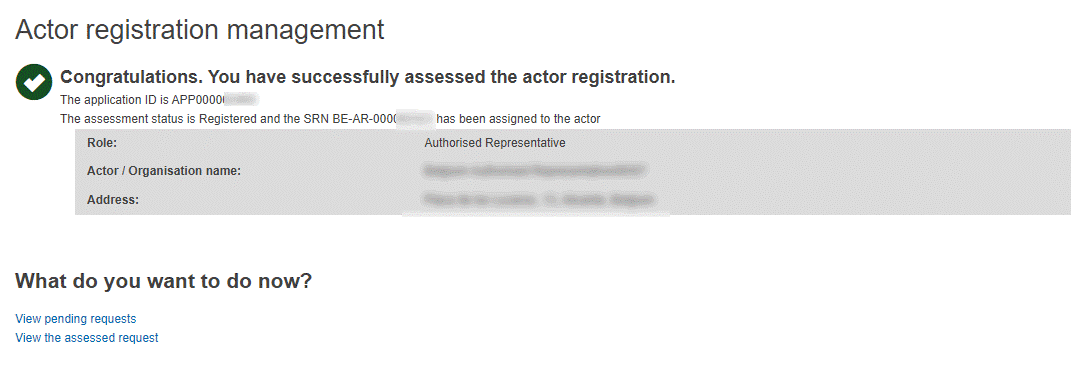
You will be informed that the actor registration request has been successfully assessed:
Note
This message will be displayed regardless of the validation's outcome. It only indicates that the validation assessment is done.
During the assessment, the system may identify potential duplicate request(s):

Click View list of duplicates and compare the details. The CA is able to accept both requests (i.e. both may be approved without a system block, even if they are identical). If one is rejected, a reason must be provided from a list of options.
If you approved the request, its state is now Registered and EUDAMED generates an Actor ID / Single Registration Number (SRN) for this actor.
The user who submitted the request is informed by email notification.