Register as an Economic Operator
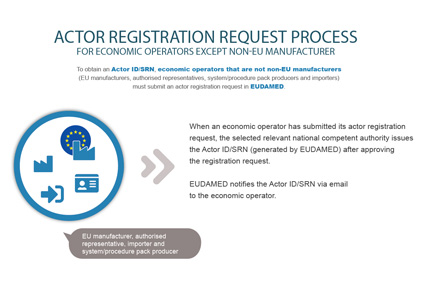
 INFOGRAPHIC: Actor registration request process
Log into EUDAMED with your EU Login account (See Section Starting and ending a EUDAMED session). You will land on the User and Actor Registration page:

Select the Actor Registration widget on the User and Actor Registration page. A disclaimer is displayed before you are able to continue:
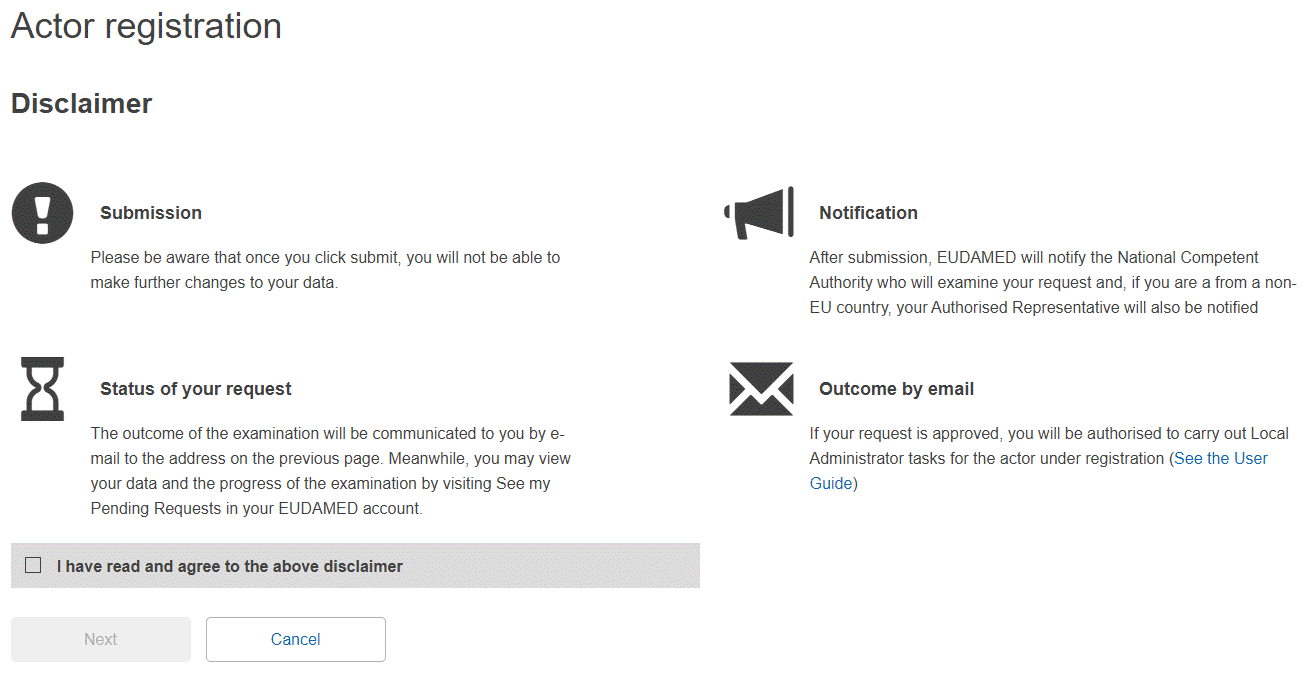
Read the disclaimer, select the I have read the disclaimer checkbox and click Next. You are prompted to enter the information about your actor:

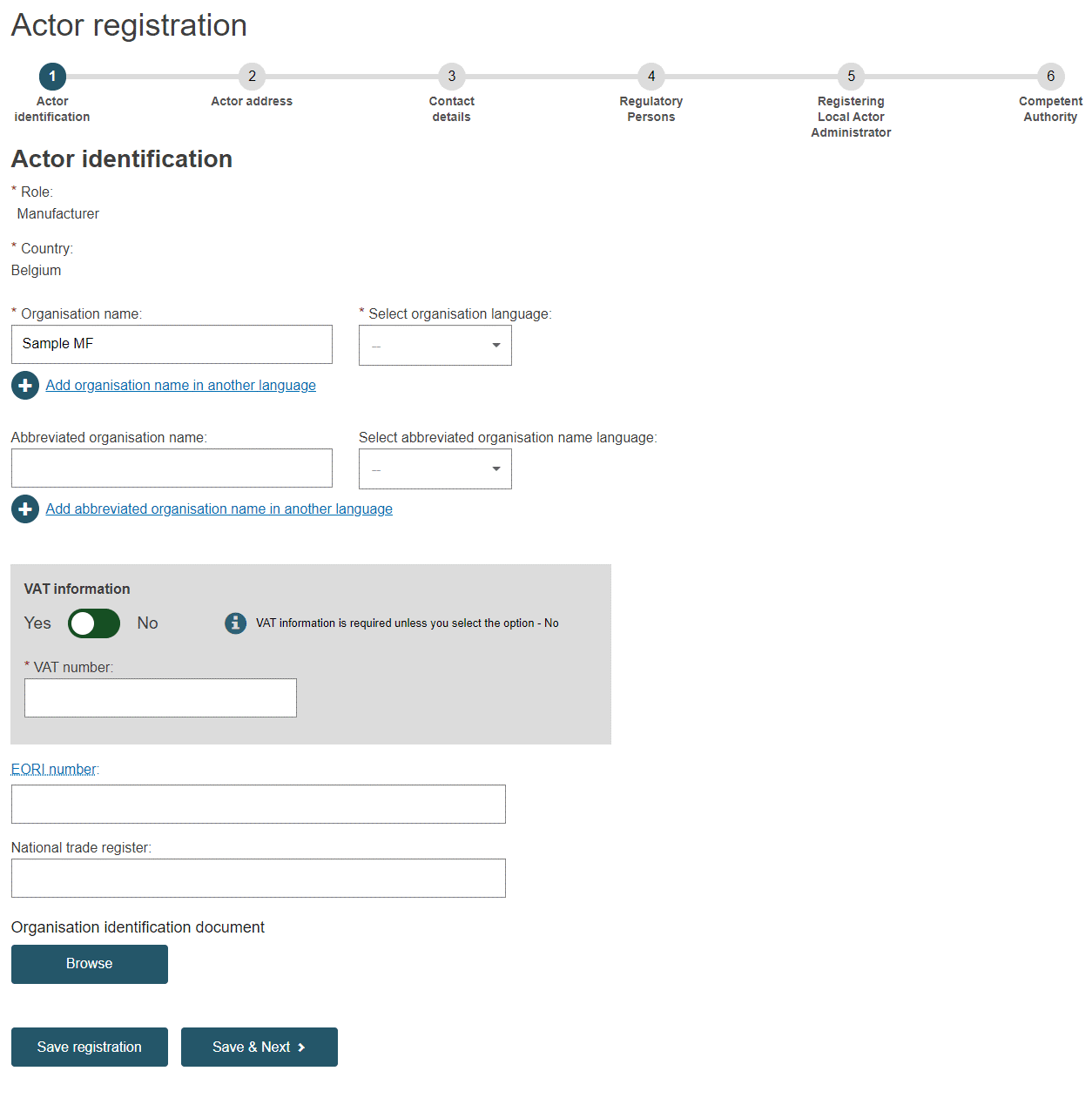
The process summary highlights the completed, current, and the remaining stages of the actor registration process.

Select the role and country, enter the name of your actor (organisation) exactly as given in your national trade register and click Next.
Note
It is recommended to upload an Organisation Identification document even though it is not mandatory. Some CAs may request this document for validation. If you do decide to upload one, make sure the file is in PDF format and that it does not exceed 10MB.
Enter the information for the mandatory fields (marked with*), and additional fields, needed to identify your Economic Operator: VAT, EORI and National Trade Register Number are mandatory if available. You can upload any document that may be useful for validating your request – but only in PDF format and not exceeding 10MB.
Click Save & Next.
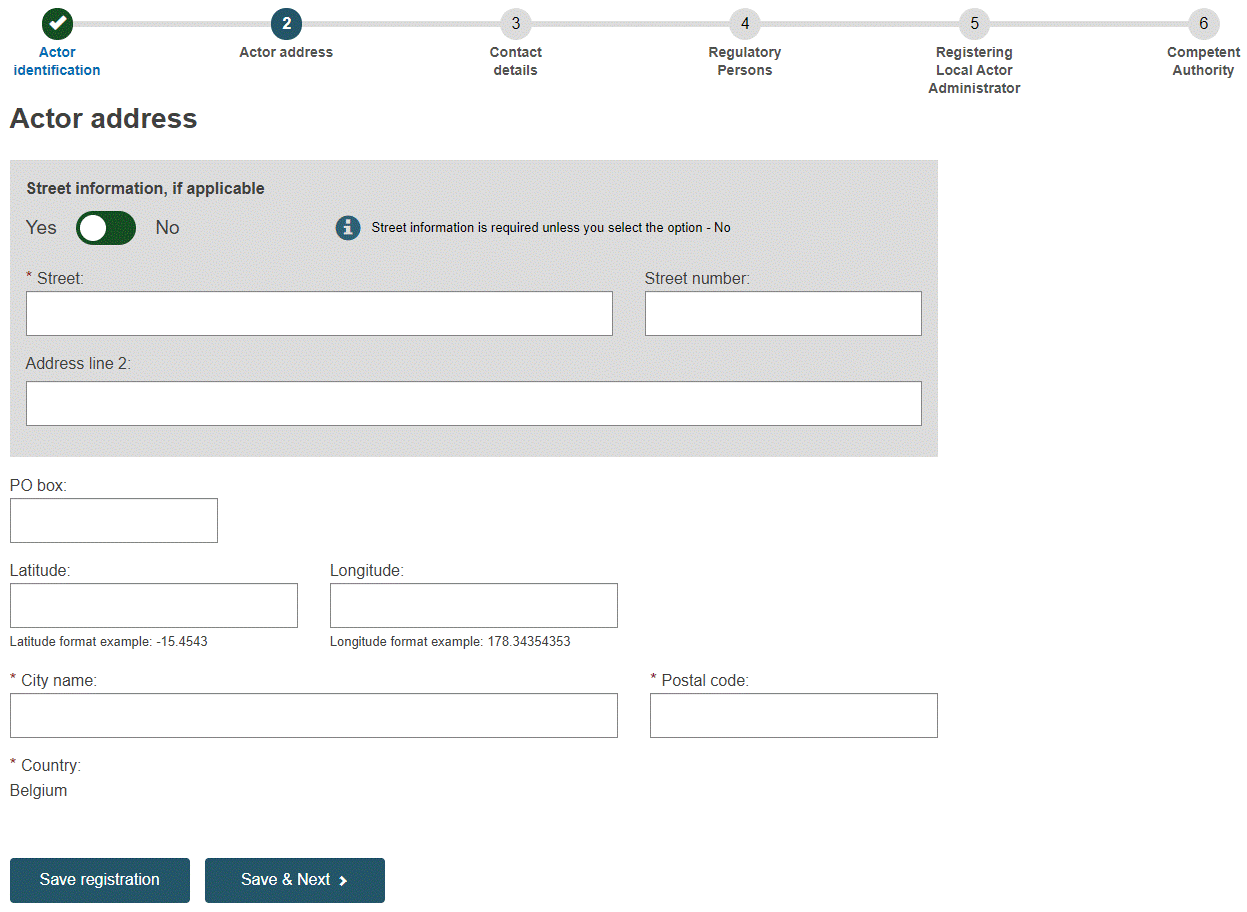
You will be prompted by the Actor address details screen:
Note
Non-EU Manufacturers will be prompted by the Actor address details screen after entering the Authorised Representative details.
Enter your actor's address details and click Save & Next.
You will be prompted by the Contact Details screen:

Enter the email addresses and other useful information regarding the contact points in your Actor. There are separate fields in which to enter contacts relevant to competent authorities, and those to be displayed to the public, and click Save & Next.
Manufacturers and Authorised Representatives must enter the Person Responsible for Regulatory Compliance details (one or several):
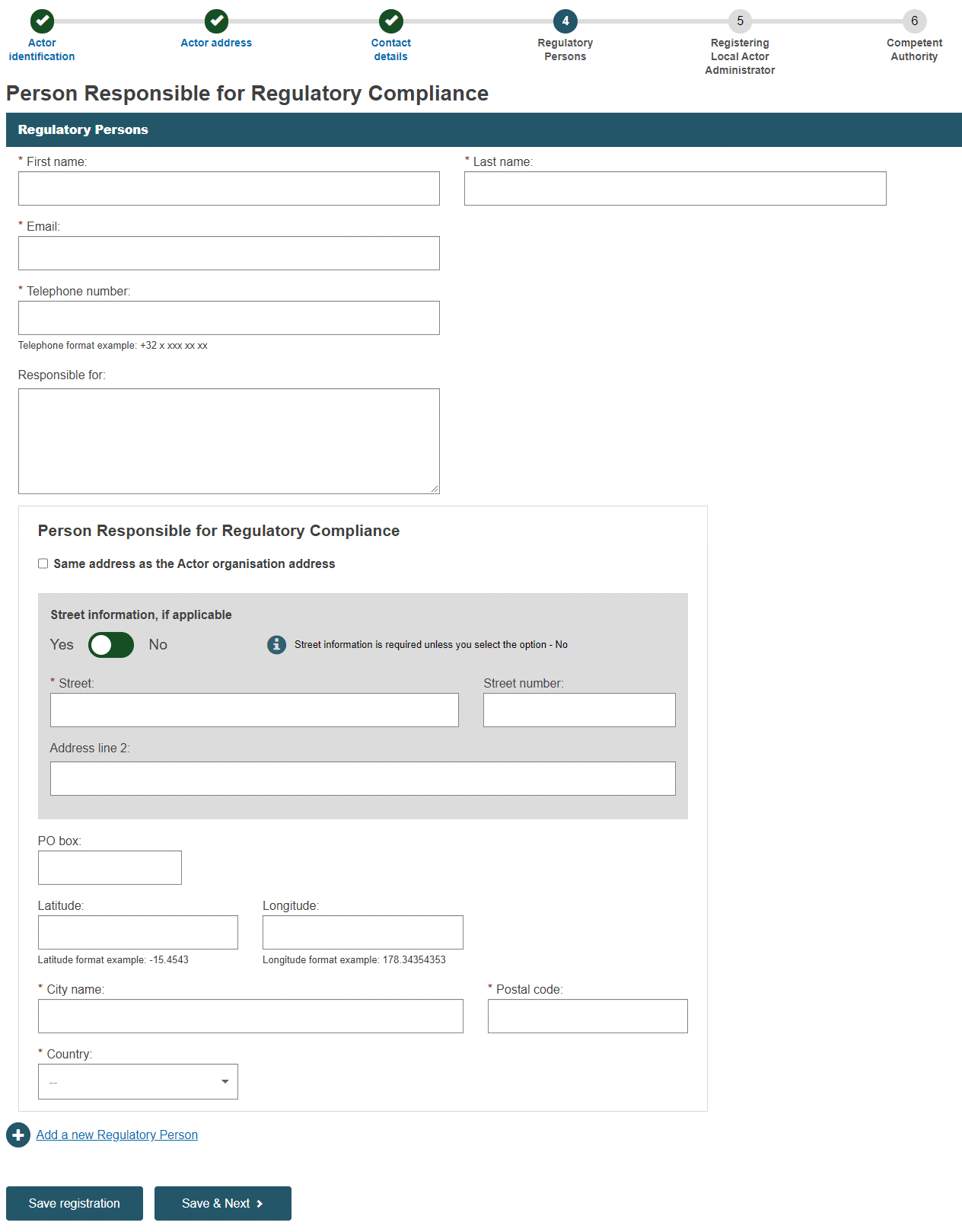
Enter your actor details and click Save & Next.

Note
The person that is registered as PRRC cannot access, change or delete their own contact information in EUDAMED. Only the organisation's LAA (see below) can change Actor information. The LAA should ensure that all information is kept up to date.
Note
Local Actor Administrator (LAA)
The person who first enters the details of an actor in EUDAMED automatically becomes the first LAA for that Actor, once the CA has validated the actor registration.
Additional LAAs may be added later. This only requires validation by the Actor's LAA.
As LAA, you can manage all the details for your Actor in EUDAMED (e.g. name, address, contact details, etc.) as well as user access requests for it (see Validating user access requests).
It is good practice having more than one LAA (with at least one belonging to the actor itself, rather than all from a sub-contractor).
Note
Please make sure that your Actor has always an active LAA. If the last or only LAA leaves the organisation or loses their EUDAMED login, please contact EUDAMED support.
Check and complete the information on the page. Upload the signed declaration – PDF format only and not exceeding 10MB – using the Browse button.
Please refer to the template for the signed declaration.
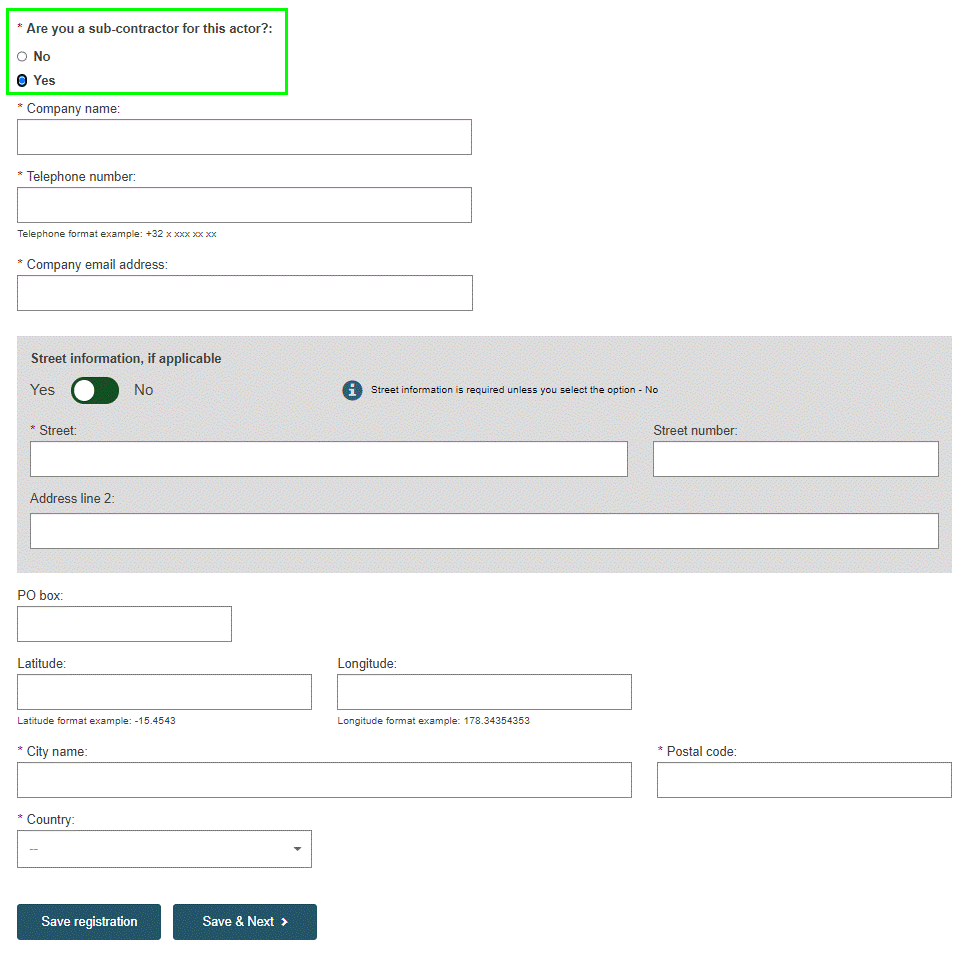
Note
If you specify that you are a sub-contractor, an additional section at the bottom of the page will prompt you to provide your sub-contracting company details.
Click Save & Next to move to the last step. Select the Competent Authority that will be responsible for your actor request validation. You can add any extra information that might be relevant for the Competent Authority:
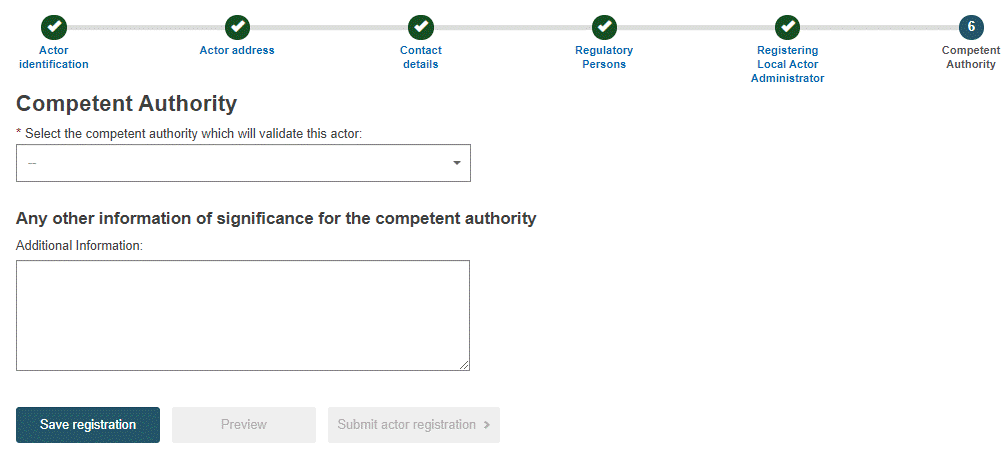
If there is a choice between multiple Competent Authorities, select the most appropriate one from the list. (A help file will be available for Actors established in Germany, to assist with the Competent Authority selection). If there is only one authority that can be selected, the details will be automatically displayed. To view a summary of your completed registration form, click Preview:
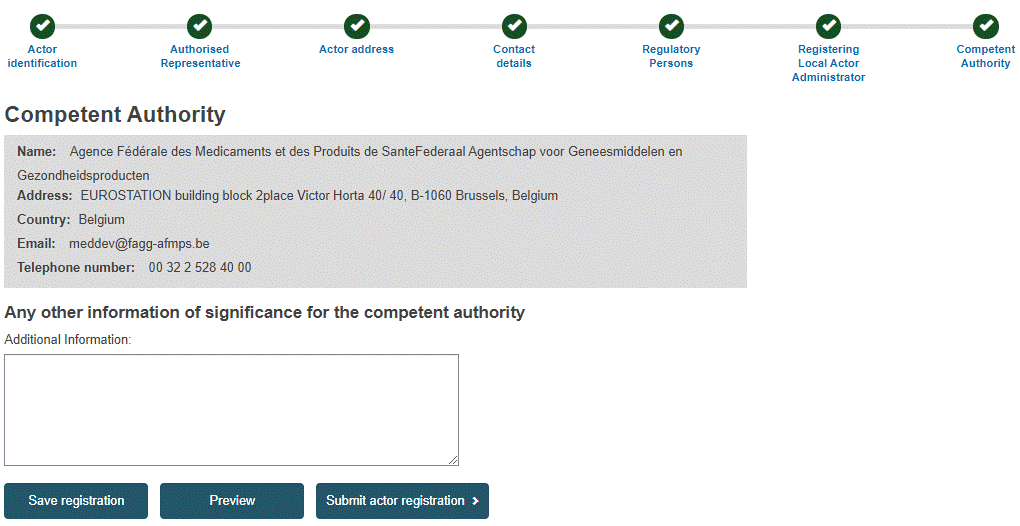
Review the information on the form, and then click Submit actor registration at the bottom of the page. A confirmation window will appear:

Read the information and click Confirm.
Your registration request is saved and appears with a Submitted state in your Pending requests list.
Your registration request has an application ID and is submitted to the selected competent authority:
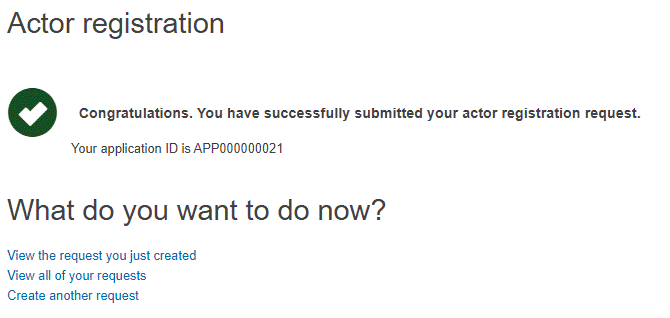
You will be notified when your Actor registration request is approved or not approved. Follow your application status on See my pending requests in your My account page.
Note
The validation of the Actors registration requests is under the responsibility of the different national competent authorities (CA).
If the information you provided is incorrect or insufficient, you will get a notification through the system with a request for additional information from your CA. The CA may also deny access, e.g. if fraud is suspected.
If you are a non-EU Manufacturer, the Authorised Representative indicated in your actor registration request must verify your request prior to the national competent authority validation.
A list of national Competent Authorities can be found on the EUDAMED website.
If your registration is approved
An Actor ID or Single Registration Number (SRN) is generated by EUDAMED and issued by the Competent Authority.
The next time you enter EUDAMED, you will be prompted to accept your rights and obligations as the Local Actor Administrator (LAA) for your actor. You can download the disclaimer by clicking on Download disclaimer in the orange box:
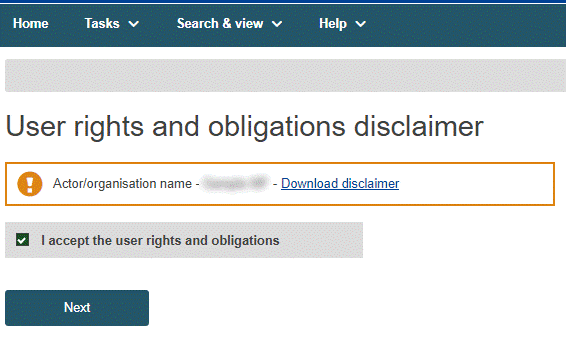
After reading, click on I accept the user rights and obligations and then click Next. You will be prompted to validate your email address for the Actor module:
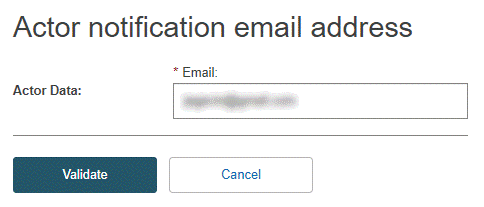
Note
This screen will only appear once, after the validation of the first LAA of an Actor.
If your registration is not approved
If your request is not approved, it will remain in your pending requests list. The next time you enter EUDAMED, your start page will be My pending requests, listing your registration requests and their states:
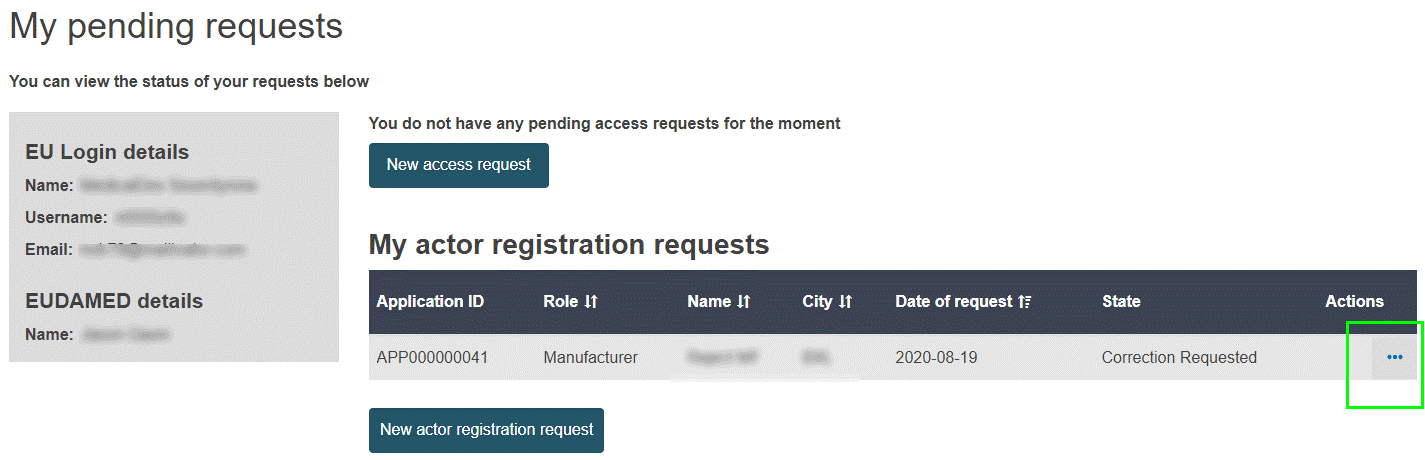
Click the three-dot action button beside your request. You can view and edit your registration request if it has a Correction requested state.
Important
Requests with a Refused state cannot be edited or resubmitted. The reason given by the competent authority for the rejection is displayed. This information will not be publicly available.

For requests flagged as Correction requested, edit and resubmit them for validation as appropriate.